Stay connected wherever your journey takes you with flexible
travel eSIM plans for destinations around the world.
Get your eSIM digitally, follow the simple activation guide,
and enjoy convenient mobile data without relying on physical SIM cards.
Explore digital eSIM plans designed for international travel,
short trips, business journeys, and everyday connectivity abroad.
Choose a destination, select the data plan that fits your trip,
and receive your eSIM digitally with installation instructions.
Setting up your PabaGo eSIM is simple. Choose a plan for your
destination, complete your order, receive your eSIM details
digitally, and follow the installation instructions before or
during your trip.
01
Choose Your eSIM Plan
Select an eSIM plan based on your destination,
data allowance, validity period, and travel needs.
Review the plan information before completing your purchase.
SELECT PLAN
02
Receive Your eSIM
After your order is processed, your eSIM information
and activation instructions are delivered digitally
using the email address provided during checkout.
DIGITAL DELIVERY
03
Install Your eSIM
Connect your device to Wi-Fi, open the eSIM settings,
and scan or enter the activation details provided
with your order. Follow your device manufacturer's
installation instructions.
INSTALL eSIM
04
Activate When You Travel
Once your eSIM is installed, configure your device
according to the plan instructions. Depending on the
destination and plan, activation may begin when the
eSIM connects to a supported network.
STAY CONNECTED
09:41
eSIM
ACTIVE
72%
DATA
Used7.2 GB
Plan10 GB
Remaining2.8 GB
Mobile Data
eSIM
Settings
✓
eSIM Installed
Ready for activation
Mobile Data
Connection available
Before you install
Make sure your device supports eSIM technology and is
compatible with the selected plan. Keep your activation
details available and use a stable Wi-Fi connection during
installation.
See what travelers appreciate about using PabaGo eSIM for
convenient mobile data during international trips.
EM
Emma MitchellUnited Kingdom
✓
Verified
★★★★★
“The installation process was straightforward. I received
my eSIM details digitally and had everything ready before
my trip. It made staying connected much easier.”
DL
Daniel LeeSingapore
✓
Verified
★★★★★
“I liked having the activation instructions available
by email. The setup was clear, and I could prepare my
mobile data before leaving for my trip.”
SO
Sofia OliveiraPortugal
✓
Verified
★★★★★
“The digital delivery was convenient for my travel plans.
I was able to install the eSIM over Wi-Fi and follow the
provided steps without needing a physical SIM card.”
JW
James WilsonAustralia
✓
Verified
★★★★★
“A simple option for preparing mobile data before
international travel. The plan information and installation
guide made the process easy to understand.”
Real travel experiences. Simple digital connectivity.
FREQUENTLY ASKED QUESTIONS
Everything You Need
to Know About eSIM
Find clear answers about PabaGo eSIM plans, device compatibility,
digital delivery, installation, activation, data usage, and
travel connectivity.
01
What is an eSIM and how does it work?
An eSIM is a digital SIM built into compatible mobile
devices. Instead of inserting a physical SIM card,
you can install a mobile data plan using the eSIM
activation details provided with your order. PabaGo
eSIM plans are designed for convenient mobile data
connectivity while travelling.
02
How do I receive my PabaGo eSIM?
Your eSIM information is delivered digitally to the
email address entered during checkout after your order
has been processed. Your delivery may include the QR
code or activation information together with the
installation instructions required for your selected plan.
03
Is my phone compatible with an eSIM?
eSIM support depends on your device model, region,
carrier configuration, and software version. Many
recent smartphones, tablets, and other compatible
devices support eSIM technology. Please check your
device specifications and the compatibility information
provided by PabaGo before purchasing a plan.
04
When should I install and activate my eSIM?
We recommend installing your eSIM while connected to
a stable Wi-Fi network before travelling. Activation
and data validity can depend on the specific plan and
the supported network in your destination. Always
review the activation instructions included with your
eSIM before enabling mobile data.
05
How can I check my remaining eSIM data?
Data usage can generally be monitored through your
device's mobile data settings. Depending on the
destination and eSIM plan, network or service-specific
usage information may also be available. Device
counters may not always match provider-side usage,
so use the plan information supplied with your order
when checking your allowance.
06
What if I need help with my eSIM?
If you experience an issue with your order, installation,
or activation, please review the installation guide
supplied with your eSIM first. If you still need
assistance, contact PabaGo support with your order
information so the issue can be reviewed and the
appropriate troubleshooting steps can be provided.
?
Still have questions?
Our support team can help with eSIM installation,
activation instructions, and order-related questions.






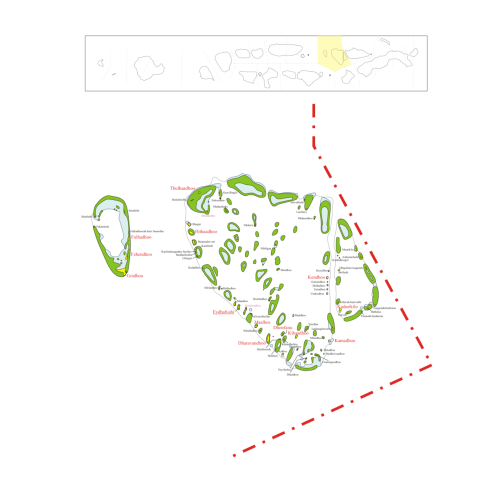
























 Norway